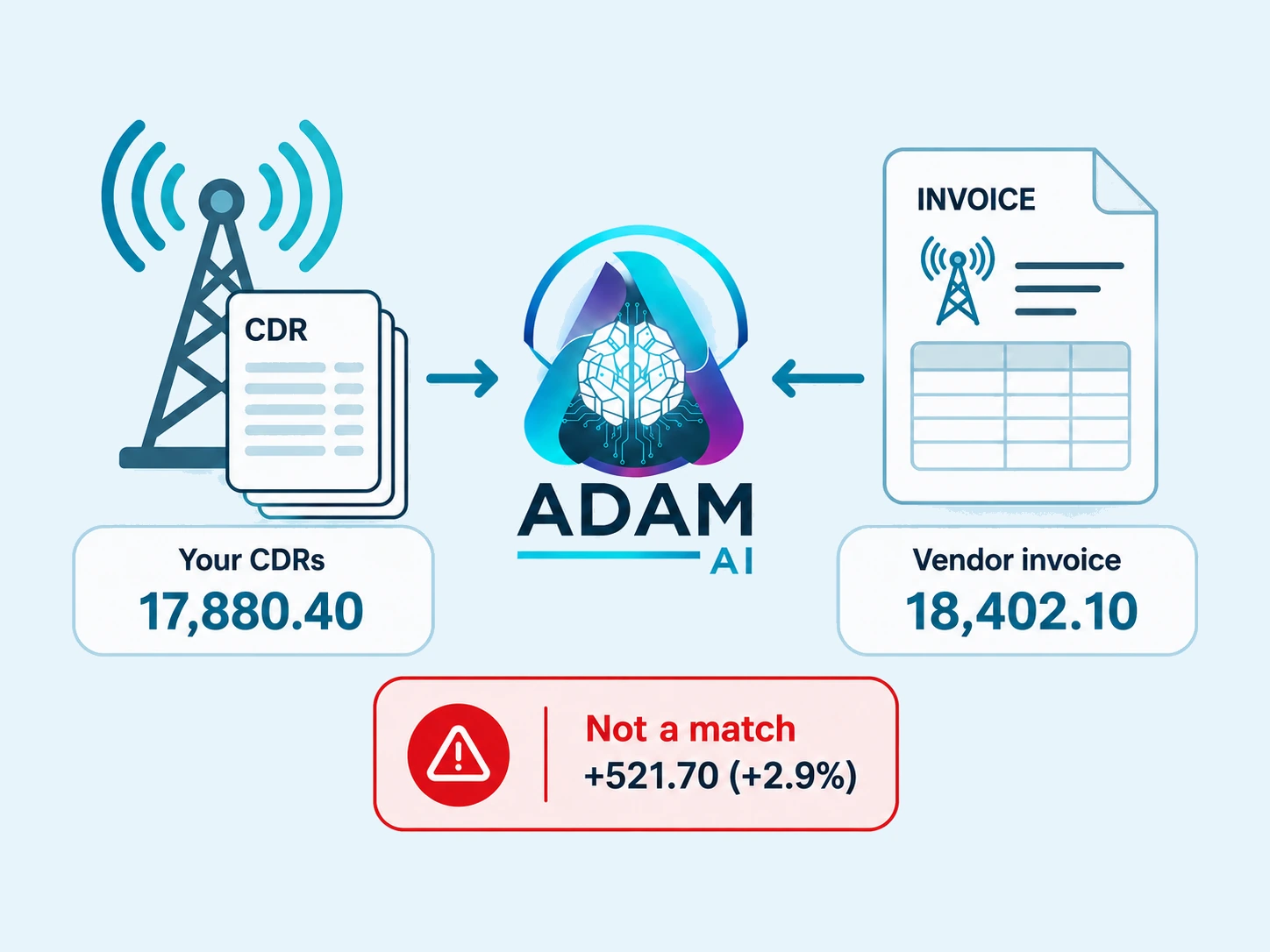
Check vendor invoices against your own traffic.

ADAM rebuilds an expected bill from call records, compares it with vendor invoices, and checks realised rates by destination and route.

Try your document Discuss your workflow
ADAM compares an expected CDR bill with a vendor invoice and identifies the difference.

Check carrier invoices against a bill rebuilt from CDRs.

Document → check → resultIllustrative workflow
  1. Document
    Call recordsOne vendor · one billing period
    Evidence
    CDRs + carrier invoice
    Matching scope
    Vendor + period
    Original attached
  2. ADAM checks
    Rebuild the bill
    Expected totalCHF 17,880.40
    Deduplicate, then aggregate traffic.
  3. Result
    Invoice comparison
    CHF 521.70invoice difference
    Check the gap against dispute thresholds.Review the variance

Start with the recorded traffic. Call records are deduplicated before being aggregated. Build an independent expected total. ADAM reconstructs the bill from the traffic: CHF 17,880.40. See the gap against the carrier invoice. CHF 18,402.10 billed. Dispute treatment depends on both configured thresholds.

What gets checked?Invoice totals, rate checks and dispute thresholds

Invoice comparison

ADAM compares the invoice against the expected bill for the vendor and billing period.

Separate rate checks

Contracted and realised rates are checked by destination and route, separately from invoice-total comparison.

Dispute thresholds

Both the configured percentage threshold and the absolute monetary floor must be exceeded for a discrepancy to become a dispute.

From call records to a bill you can check.

Clean traffic, an independent total and rate evidence for your team.

Billing operations

Count each call once.

ADAM removes duplicate call detail records (CDRs) before calculating the expected bill.

Clean call records before totals are built.

Revenue assurance
Example TelecomInvoiceINV-20324
Invoice date
01.09.2026
Due date
01.10.2026
International voice trafficAugust 2026100,000 minutesUSD 0.015 / minute
Total dueUSD 1,500.00
Illustrative vendor invoice
Invoice number
INV-20324
Invoice date
01.09.2026
Invoice total
USD 1,500.00
Invoice data extracted

From invoice to usable data.

ADAM reads vendor invoices and extracts the invoice number, dates, amounts and line items, ready to compare with your call records.

Invoice details extracted, ready to check.
Interconnect team

Keep route-level rates visible.

A separate check compares contracted and realised rates by destination and route, with evidence your team can investigate.

Rate evidence by destination and route.

Showing Billing operations, 1 of 3.

From vendor rates to settled payments.

The complete telecom workflow with ADAM AI, connected from start to finish.

  1. 01

    Import vendor rates

    PDFExcelAPI
    USD / minuteVendor rates
    US
    0.006
    UK
    0.012
    India
    0.008
    Rates standardized

    Collect and standardize supplier rate lists.

  2. 02

    Check route quality

    92%Answer success
    ASR92%
    ACD68 s
    PDD120 ms
    Route quality checked

    Combine quality history with automated route tests.

  3. 03

    Build routing & margins

    Least-cost routing
    VendorUSD/minQuality
    Vendor A0.012Good
    Vendor B0.008High
    Vendor C0.011Good
    Margin rules applied
    Best eligible route selected

    Choose routes by cost and quality. Apply margin rules.

  4. 04

    Set pricing targets

    Vendor target$0.008per minute
    Customer price$0.015per minute
    Target rates sent to vendors
    Price lists prepared

    Set customer prices and send target rates to vendors.

  5. 05

    Capture call records

    Telecom systemAPI / SFTP
    Call detail recordsHourly CDR import
    CALL-00842
    60 s
    CALL-00843
    30 s
    CALL-00842Repeat removed
    Calls deduplicated

    Import and deduplicate call details from connected telecom systems.

  6. 06

    Rate calls

    CALL-00842 · UK60-second call
    Vendor cost
    $0.008
    Customer charge
    $0.015
    Margin$0.007
    Matched to the applicable rate
    Call rated

    Apply buy and sell rates to each call.

  7. 07

    Invoice customers

    Customer invoice · INV-001Usage statement
    Minutes
    100,000
    Rate / minute
    $0.015
    Total USD1,500.00
    Invoice + usage details
    Invoice emailed

    Create and email invoices with usage details.

  8. 08

    Reconcile vendor bills

    Vendor invoice reviewInvoice vs. call records
    Vendor invoice
    $830.00
    Expected from CDRs
    $800.00
    Difference$30.00
    Evidence attached to dispute
    Dispute prepared

    Match invoices to call records and prepare disputes.

  9. 09

    Calculate net settlement

    Same trading partner · USD
    Customer receivable
    1,500.00
    Agreed vendor payable
    − 800.00
    Net receivable$700.00
    Settlement calculated

    Offset eligible buy and sell balances per partner.

  10. 10

    Forecast cash flow

    Expected cash flow
    IncomingOutgoing
    Payment termsDue dates aligned
    Forecast updated

    Project incoming and outgoing cash flow by due date.

  11. 11

    Follow up on payments

    Payment follow-upOutstanding balance
    $700.005 days overdue
    Payment reminder
    Expected receipt date refreshed
    Reminder sent

    Send overdue reminders and refresh the forecast.

  12. 12

    Match payments & close

    Bank transaction matchedSettlement received
    Payment
    $700.00
    Remaining balance
    $0.00
    Settled and closed

    Match payments, update balances, and close settled items.

Your questions, answered.

Why does ADAM deduplicate hourly CDR files by call reference?

The same call can appear again in consecutive hourly CDR files. ADAM streams those files and uses the call reference to remove the repeat before aggregating minutes and amounts, so the daily traffic figure is based on each call once.

How does ADAM know what the bill should have been?

ADAM builds its own daily expected bill for each vendor account and jurisdiction from the deduplicated traffic itself, rather than copying the amount from the vendor invoice. That gives the match an expected figure the vendor did not supply.

When does a carrier variance become a dispute?

Only when the configured percentage threshold and absolute monetary floor are both exceeded. Requiring both keeps a high percentage on a tiny amount and a tiny percentage on a large amount from being treated as the same kind of exception.

How can an invoice be paired when supplier names differ between systems?

ADAM first uses an exact document-number match when one exists. The second stage groups candidates by supplier-name tokens, currency and month, then requires the same currency, at least one shared name token and overlapping periods before a candidate can match.

What does the carrier team receive after reconciliation?

ADAM mirrors the result to Google Sheets, tints the variance red when the billed amount is too high and green when it is too low, and adds a plain-language note to each row. A scheduled digest summarises the resulting review work.

Can ADAM reconcile carrier invoices without processing raw CDR files?

Yes. Instead of rebuilding the expected bill from call records, ADAM can pull the expected amounts a carrier's own billing platform already holds, over a nightly API pull, and match the invoice against those. The comparison is the same, per vendor and billing period, and the same two thresholds decide whether a variance becomes a dispute.

Start with a document you already have.

Try the extracted result, then talk to us about the checks and connections your team needs.

Try your document

Bring ADAM into your document flow.

Start with the channels you already use. We map the documents, define the modules and connect the outputs to your existing team.

Direct contact

ADAM AI

Michael Knobel, CEO

michael@adamai.ch

We reply within one business day.

Send a message

Details are stored in our CRM so we can follow up. See our Privacy Policy.