Stores
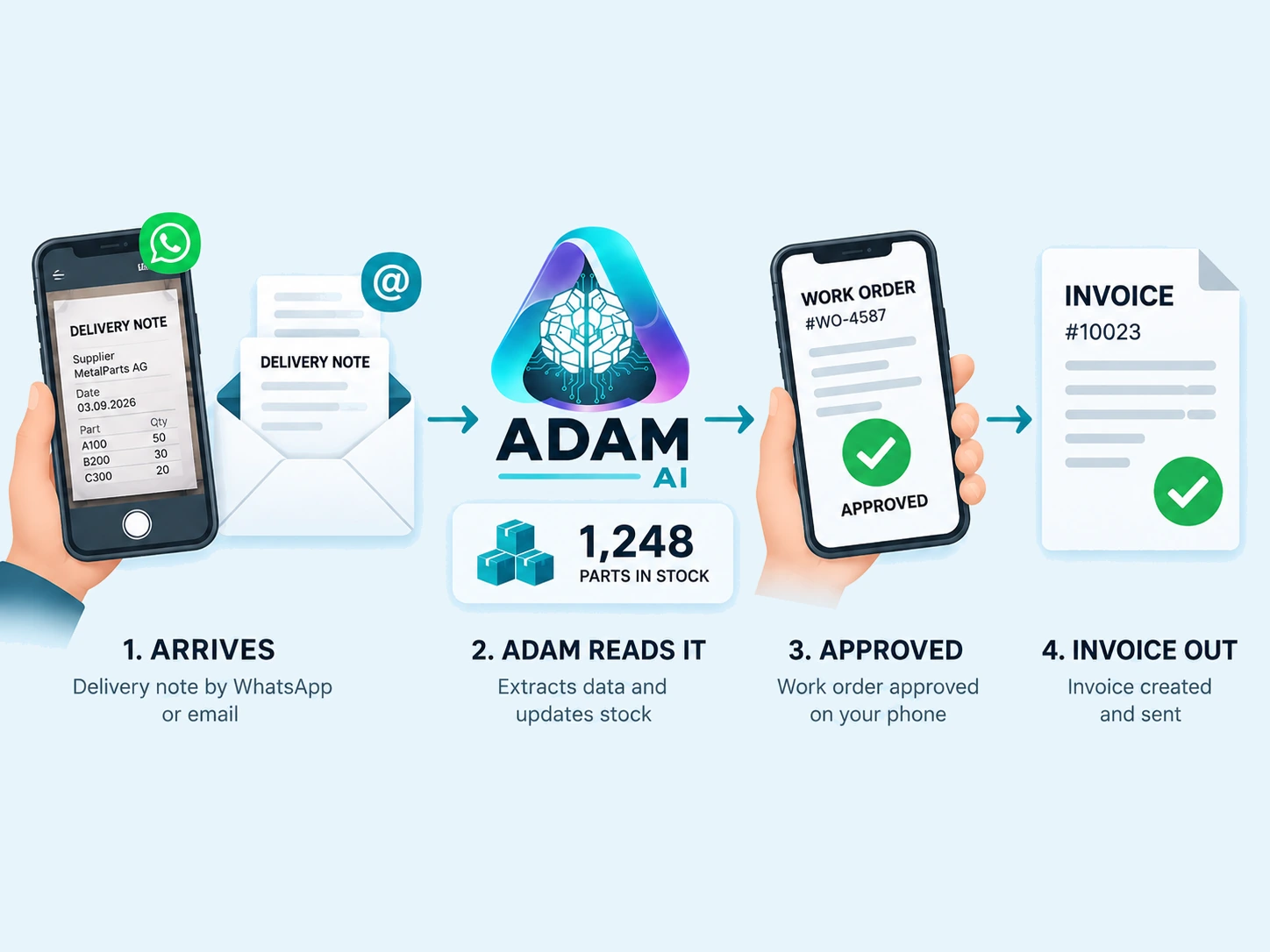
Let the delivery note update stock.
ADAM reads incoming parts and maintains stock records by supplier and part number.
Stock recorded from your delivery note

ADAM reads your plant’s delivery notes, keeps stock records current, and checks traceable parts before an invoice goes out.
Start with the part request. A traceable part is linked to its original delivery note. Five needed. Three available. ADAM checks the request against recorded stock. Make the shortage visible. Invoice issuance stays on hold. Stock deduction waits for owner approval.
Parts linked to a delivery-note line are checked against recorded stock. A shortage stops invoice issuance.
These can still be billed, but are not deducted from stock.
Matched parts are deducted only after the owner approves the invoice. The workflow shown above is illustrative.
From the stores desk to the workshop and office.
ADAM reads incoming parts and maintains stock records by supplier and part number.
Open a linked spreadsheet, add quantities and customer details, then confirm the draft.
Approve by email. ADAM checks traceable parts, numbers the invoice and sends the PDF to the office.
Showing Stores, 1 of 3.
The result goes where your team works.
Connect one system or several, around the way your team works.
It checks every part line ADAM could trace back to a specific delivery-note line against the stock on hand for that supplier and part number. If any line asks for more than is available the approval stops and no invoice is issued, so the check sits before issuance rather than after it.
The technician taps a signed link on a phone. It opens a spreadsheet already filled with current inventory and the services catalogue, where quantities and customer details can be entered before a confirm cell is tapped. There is no account or portal on that action page, and no plant management system for the plant to run or the technician to learn.
The owner receives the completed invoice inline in an email and approves it from that email. Only after that approval does ADAM draw the matched parts down from stock, allocate the invoice number, render the PDF and send it to the office.
The stock pre-flight happens before issuance, but inventory is decremented only after the owner has approved the completed invoice. That keeps preparation, approval and the final stock movement in a defined order.
At 18:00, ADAM posts a PDF summary back to the plant's messaging group. It covers the day's inbound deliveries and the current stock position, giving the same group that supplies delivery-note photos an end-of-day view.
It still appears on the invoice, but it is not drawn down from stock. ADAM only deducts parts it can trace to a specific delivery-note line, so a freehand or ambiguous entry is billed without moving the stock figure. The approval screen lists exactly which parts will be deducted, so the difference is visible before the invoice is issued.
Try a delivery note to see the extracted result. Talk to us about connecting stock checks and approvals to your workflow.
Start with the channels you already use. We map the documents, define the modules and connect the outputs to your existing team.